The ZapMitra extension
Fill your details once, then apply on recruitment portals without retyping them. Your details stay on this device.
Last updated 29 August 2026
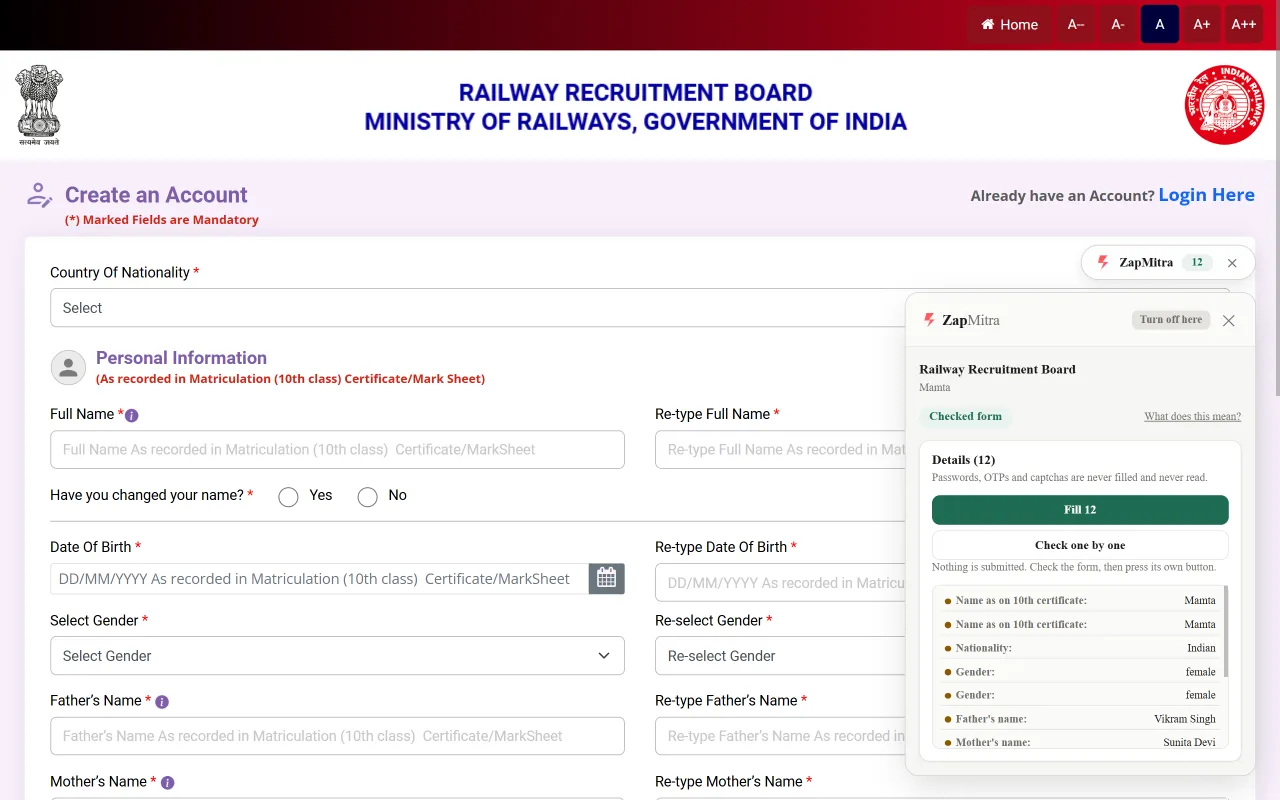
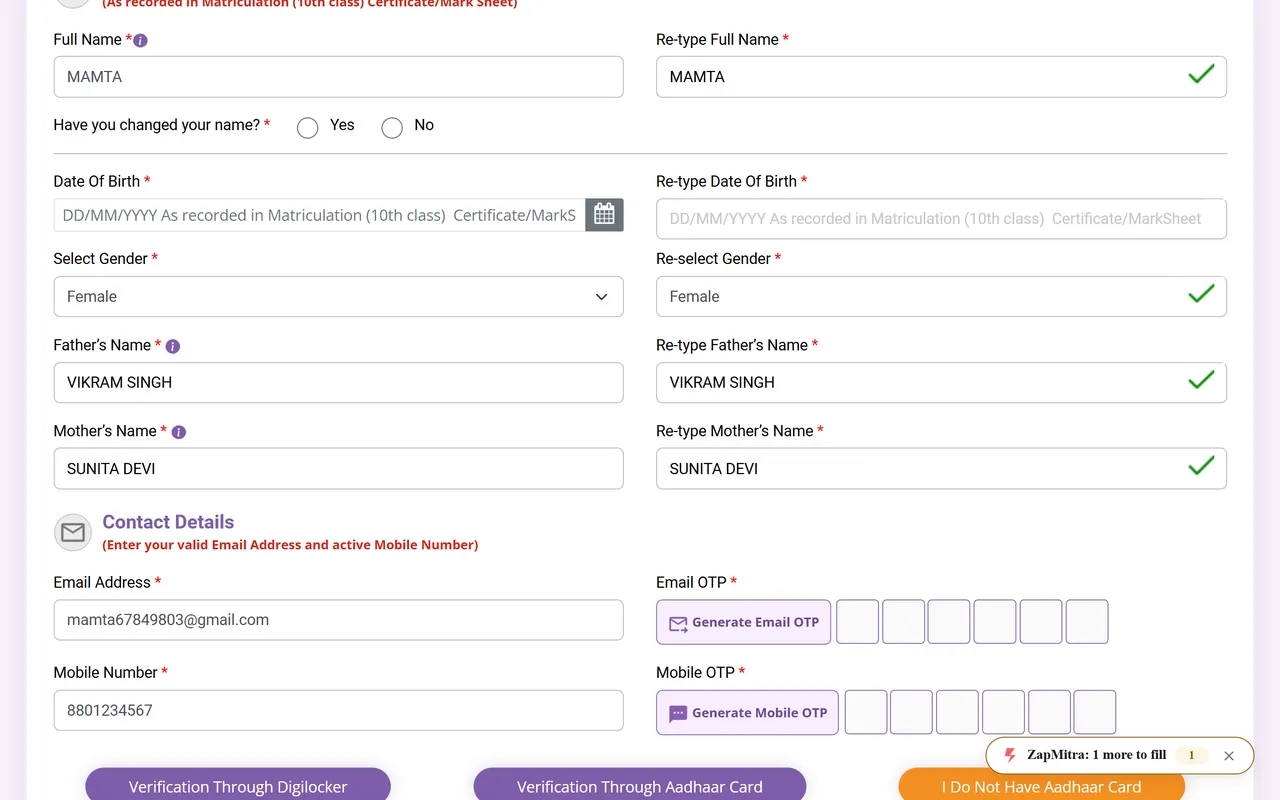
The extension is the third step of ZapMitra. You find your form on this site and cut every document to the size it asks for; the extension finishes the job on the portal itself, typing your saved details into the portal’s own form and attaching the documents you prepared.
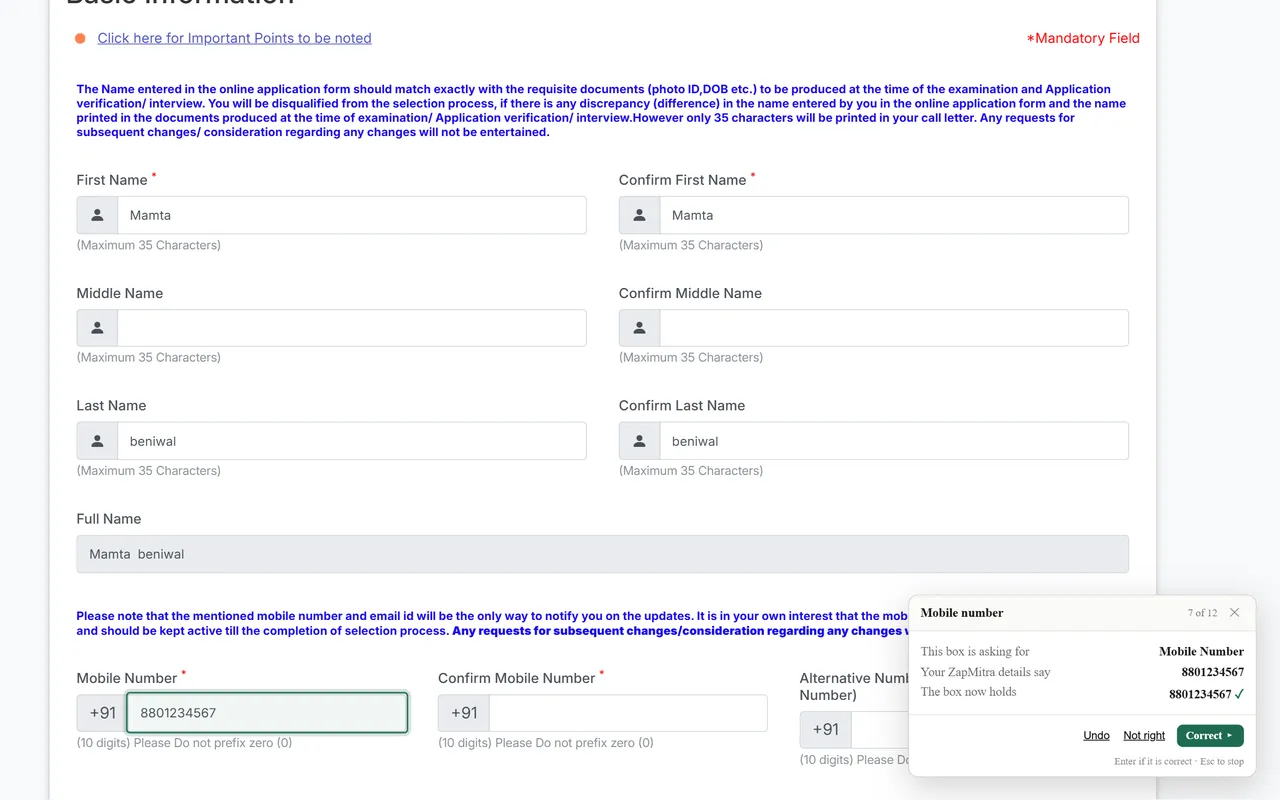
It never submits anything. You read what it wrote, correct what you want to, and press the portal’s own button. Nothing is sent until you do.
What it never does
- Nothing is submitted, ever.There is no auto-submit and no fill-and-continue, and the extension never presses anything on the portal for you. Filling only happens behind your own click.
- Some fields are never touched.Passwords, OTPs, captchas, card numbers, CVVs, security answers and transaction PINs are not filled, not scanned and not shown.
- The portal cannot read what the extension shows you.The website you are on cannot see what ZapMitra shows you, and it cannot read any of the details ZapMitra holds about you.
- No personal detail reaches a server.Your profile and your documents never leave the browser. The network traffic the extension does produce is named in full on our privacy page, and none of it carries a personal detail.
Where it works
The extension ships enabled for five recruitment portals:
- IBPS Registration (ibpsreg.ibps.in).The common registration shared by several recruiters - SBI, IOB, AAI, RCFL and RVUNL among them.
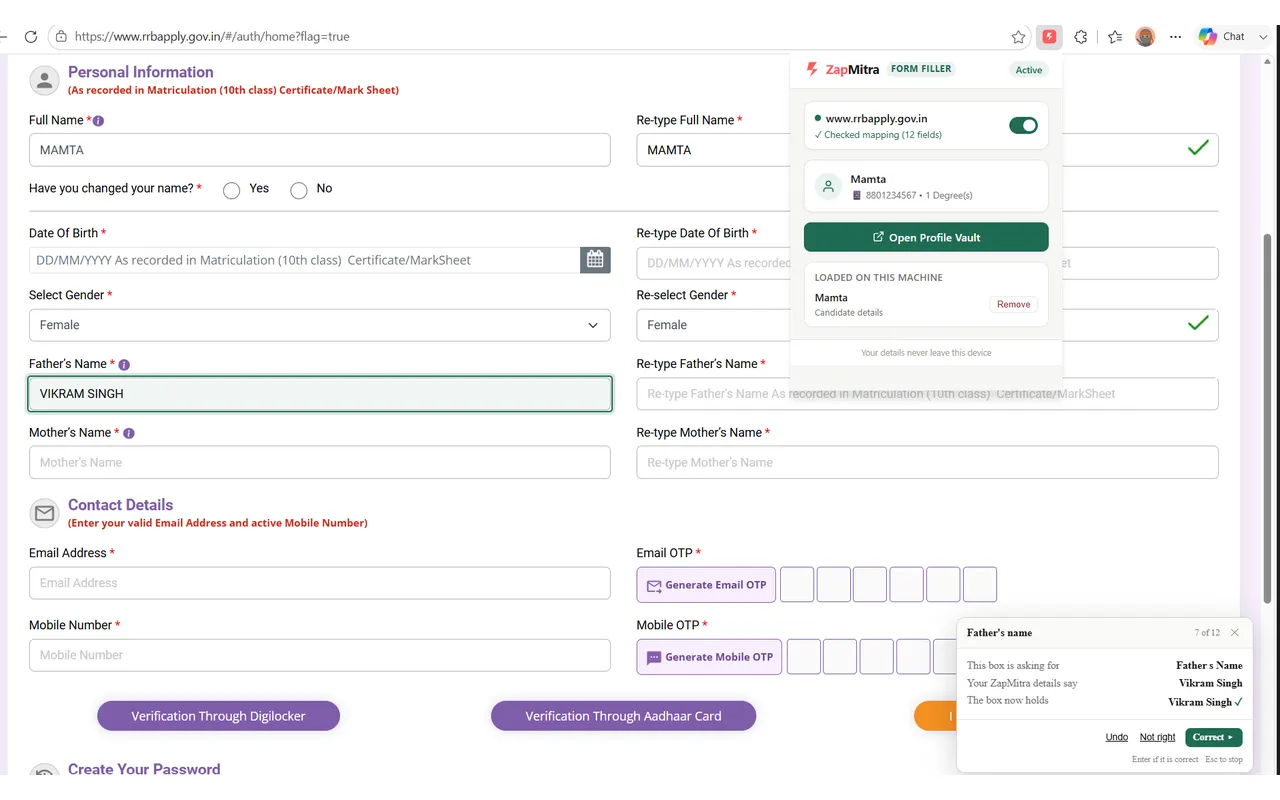
- Railway Recruitment Board (www.rrbapply.gov.in).Railway Recruitment Board applications, including Junior Engineer.
- Digialm application forms (cdn.digialm.com).ISRO ICRB applications, and other recruiters who use the same vendor.
- UP Education Services Selection Commission (principalhe.upessc.org).UPESSC Principal recruitment and its one time registration.
- Assam Public Service Commission (apscrecruitment.in).APSC recruitment, including Veterinary Officer.
Any other site can be switched on, site by site, by you. ZapMitra asks the browser for permission for that one site, Chrome shows you which one before you decide, and refusing changes nothing. You can take the permission away in Chrome’s own settings at any time.
Your data
Everything the extension knows lives in your browser: the profile details and prepared documents you gave it, and nothing else. Uninstalling the extension destroys all of it.
The privacy statement names everything ZapMitra and the extension send over the network, and how to erase everything: Read the privacy statement.
Questions people ask
Is it free?
Yes. Nothing on ZapMitra is paid - not the site, not the documents, not the extension.
Do I need an account?
No. ZapMitra has no accounts and nothing to log into.
What happens if I change browser or clear my browsing data?
Everything ZapMitra holds is stored on your own device and only there, and we have no copy of it. That is why nobody at ZapMitra can see your details. It also means that if you clear the browser, or move to a different one, what you entered is not there any more. Your profile can be saved to a file and brought back on another browser. Finished documents can be downloaded and kept, but there is nothing that puts them back for you.
What happens if a portal changes its form?
Portals get redesigned, and when one does the extension may fill less than usual, or nothing at all. It cannot put something wrong into your form without you seeing it: you read everything it wrote before anything is sent. We are told when a portal stops matching, and we fix it.
Can it fill something wrong?
It can guess, and when it does, the panel says so in plain words. Nothing it writes is final: step through the boxes and, for each one, keep what it wrote or choose the right detail yourself. Nothing reaches the portal until you press its own button.
How do I turn it off?
The extension’s popup has one switch per site. Chrome’s own settings let you remove any site permission or uninstall the extension outright, and uninstalling destroys everything it stored.
Does it work on my phone?
The extension is built for Chrome on a desktop or laptop computer. On a phone, the rest of ZapMitra still works in the browser: find your form and prepare every document to the size it asks for.